See what you earned. Catch what you missed.
TrueLedger scans your QuickBooks invoices and flags missing billing, undercharges, and revenue anomalies—so nothing slips through.
Read-only QuickBooks access • Connect in minutes • Cancel anytime
Three steps to revenue clarity
Connect QuickBooks
Secure, read-only OAuth connection in minutes.
Set expectations (or let us infer them)
Create billing rules manually, or let our engine suggest patterns from your historical invoices. You control which rules are active.
Review prioritized findings
Get prioritized findings with explainable evidence. High-confidence issues rise to the top so you can focus on what matters.
Built for quick triage
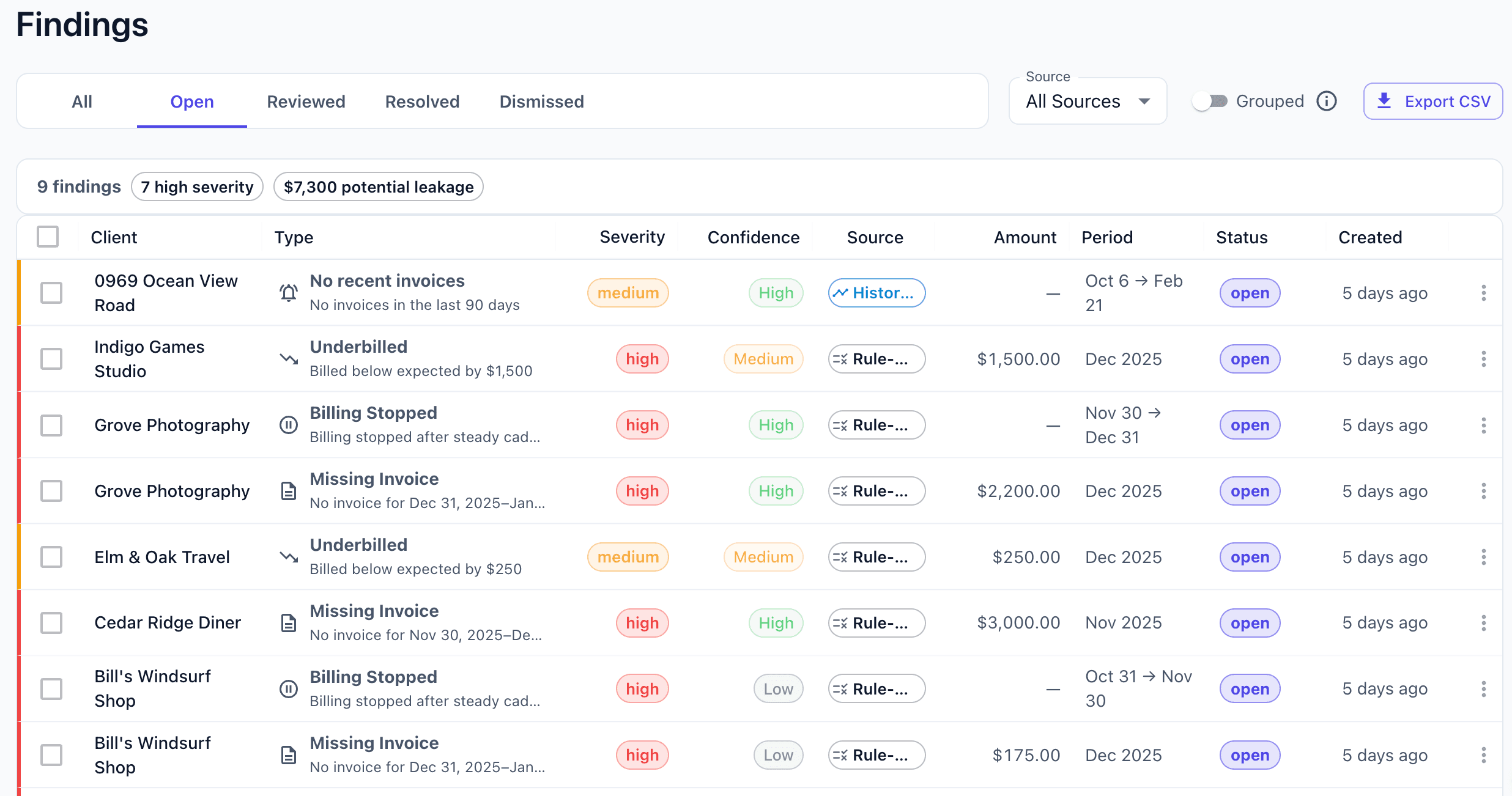
Findings dashboard
See what's urgent, what's trending, and what needs review.
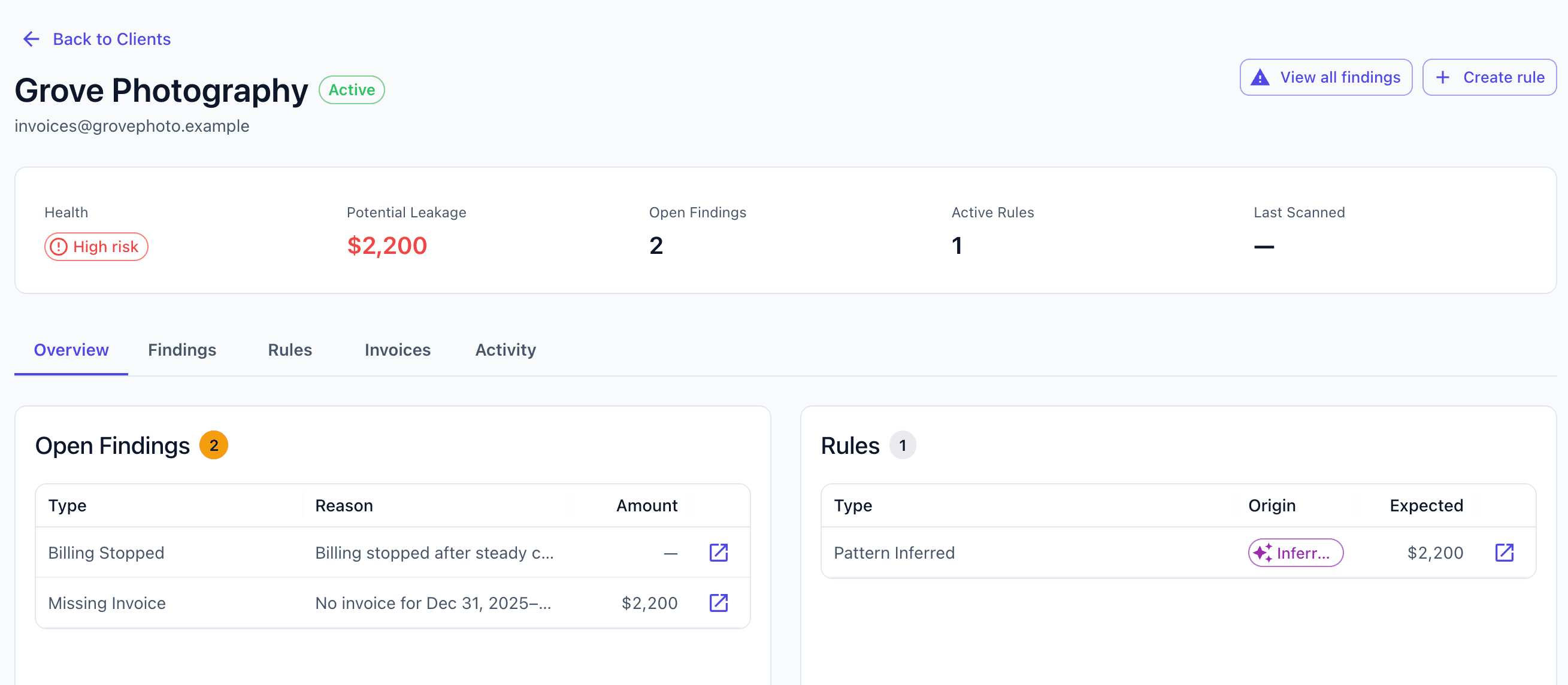
Client details
All findings and billing patterns in one place.
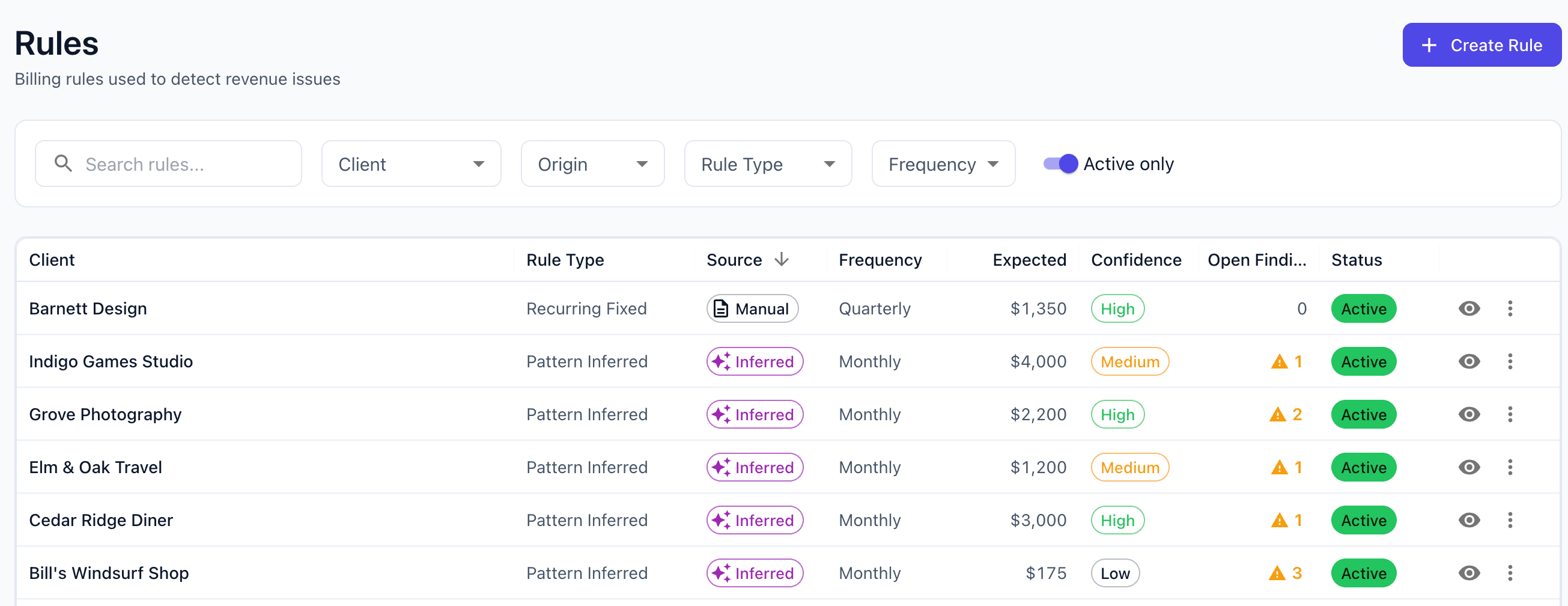
Rules & expectations
Confirm cadence and amounts. Keep expectations consistent.
TrueLedger detects revenue issues before they compound
TrueLedger adapts to real-world billing — monthly retainers, milestones, or irregular projects — and flags meaningful changes with confidence scoring.
Critical issues
Immediate revenue risks that require attention
Clients who stopped being billed
Missing expected invoices
Clients never invoiced
Billing after contract end
Important signals
Meaningful deviations from historical billing patterns
Underbilling vs expected amount
Frequency mismatches
Historically active clients going quiet
Starter vs Pro: Pick the depth that fits
Starter: Core rule monitoring + high-confidence pattern alerts
Pro: Inferred rules, deeper analysis, exports, and advanced reporting
See all plan detailsRead-only access. Your data stays safe.
Secure OAuth connection to QuickBooks. Read-only access. We never store your credentials.
What we access
Customer names and contact info
Invoice numbers, dates, and amounts
Invoice line items and descriptions
What we never access
Bank accounts or payment methods
Credit card information
Ability to create, edit, or delete records
Connect QuickBooks. Get clarity.
No long setup. Cancel anytime.
Start free trialAlready have an account? Sign in